Moodle Design Concept

Overview

Empathize & Identify Pain Points

We completed user research to hear from real users of Moodle to better understand their outlook. We conducted 3 interviews, where interviewees were asked 10 different questions. Each interview was conducted separately in a one-on-one session. The participants were asked to provide verbal consent for audio recording the interviews, so we could review the interview later and transcribe it. Each interview took between 15 to 20 minutes.

Defining the Problem

The data was transcribed using Otter. Ai. After we received the Otter transcript, we checked our individual interview to make revisions and fix typos. Once the transcription was complete, we coded the data. When coding the data, we pulled out important information and grabbed quotes to support the information. We wanted to look for recurring areas of dissatisfaction or possibilities so we could understand what our users wanted when improving our interface.

When reviewing the interviews, we found recurring themes and pain points. Users shared how they were frustrated by the sidebar of the classes, since it did not accurately reflect the classes they were currently enrolled in. One user said, “I wish Moodle would delete your old classes.” To combat this, we crafted the design question: What adjustments can we make to Moodle’s course sidebar to provide a more customizable user experience? This question needed to be addressed given the evidence from the interview reflecting how the sidebar was an issue. Some examples of quotes include “I just like my classes to be in my class dashboard. That’s my opinion.”, and “I do think that the design could be improved to be a little bit more customizable to the course.”

Ideating – Design Ideas, Theories & Frameworks

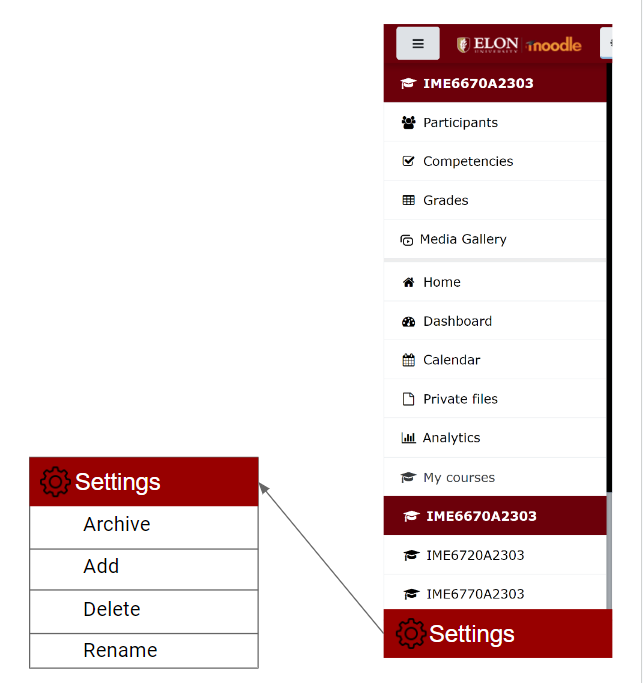
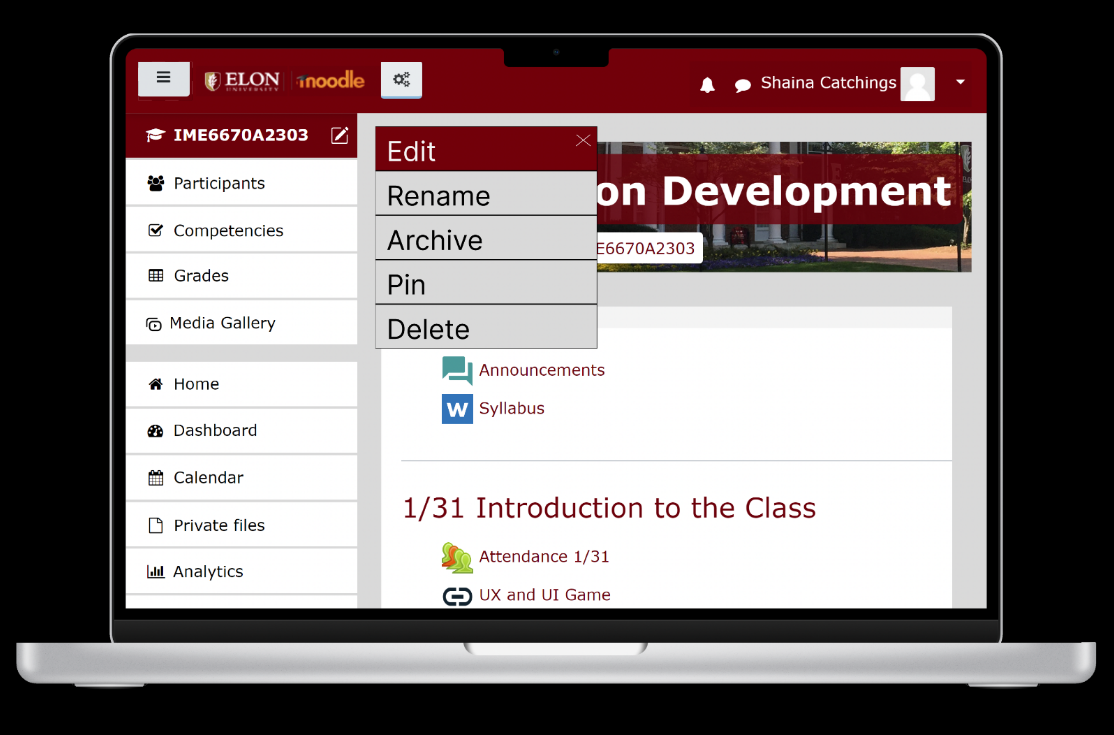
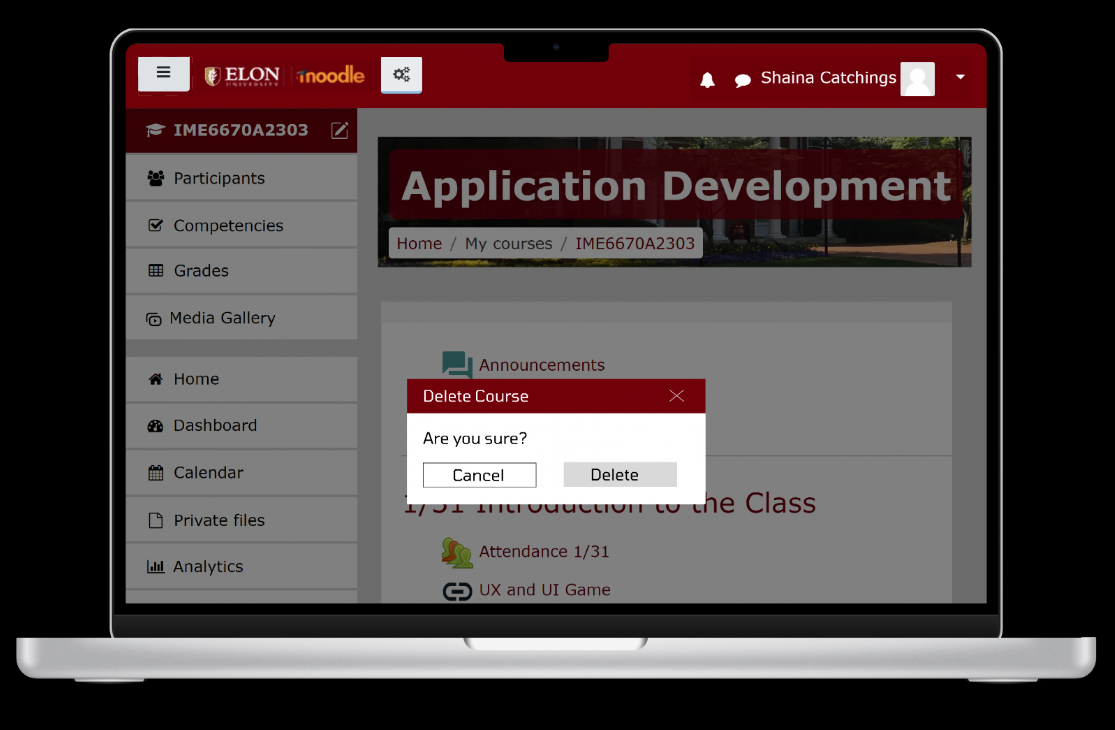
With a problem defined, we saw that the Moodle sidebar needed to be more customizable to the user, and therefore brainstormed several solutions including: ability for the user to change the course names; a settings options to add, delete specific; the ability to pin specific classes at the top of sidebar; the ability to rearrange the sidebar; the ability to move sub-tabs (grades, participants) to under the main tab; and lastly the option to archive old classes.

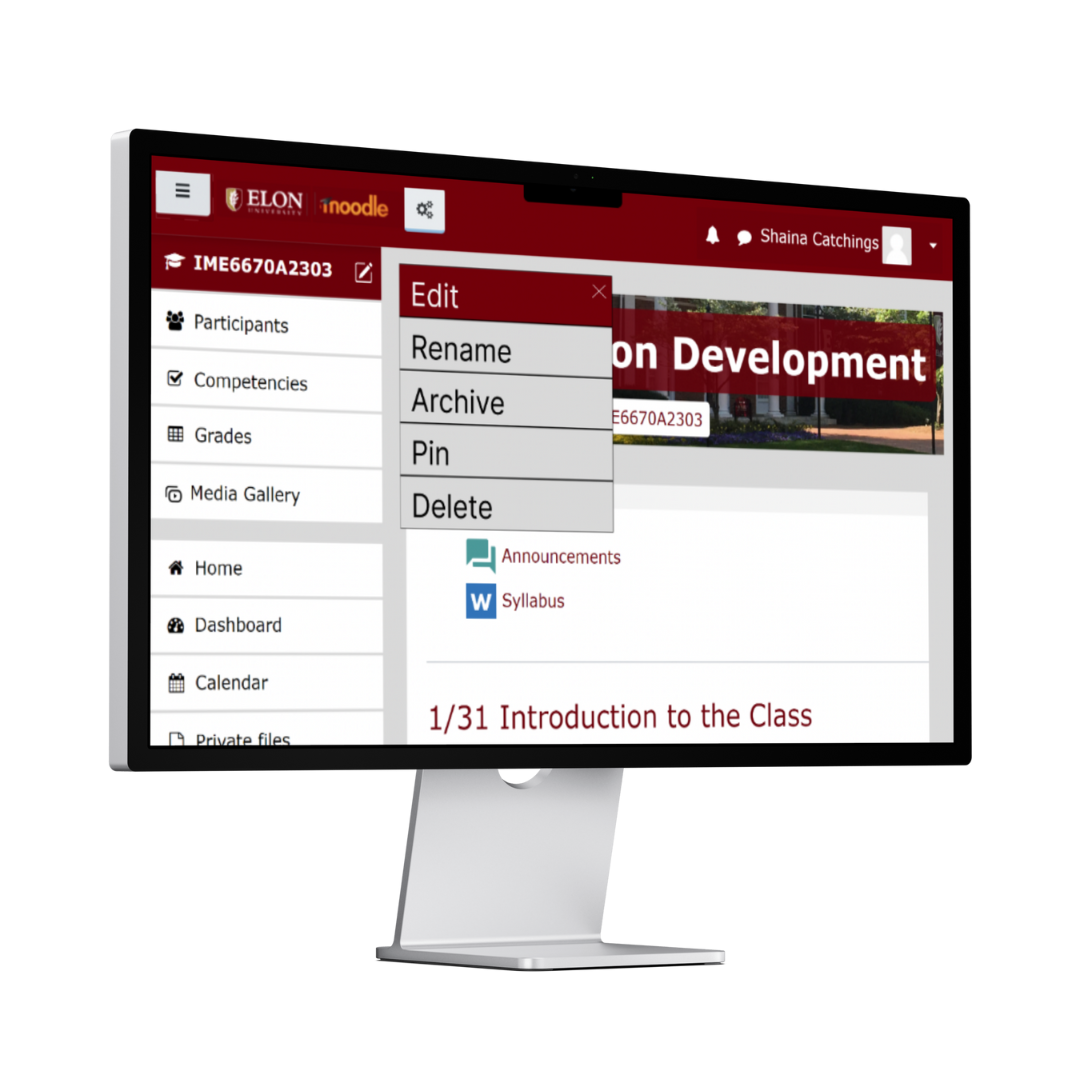
In the end, we determined the best design idea by considering the different UX theories and frameworks that each potential solution upheld, and chose to focus on the option with the strongest supporting theories. We decided that adding a “Settings” option for customization would be most beneficial to solving this issue. Through adding the “Settings” option, users would be able to add, delete, archive, pin and change the name of course name, etc. This decision is upheld by the Aesthetic-Usability Effect states that users often perceive aesthetically pleasing designs more usable. The “Settings” option will allow users to be about to create an aesthetically pleasing design that will in turn create a positive response in their brains and lead them to believe the design works better.

Prototyping & Expert Evaluation

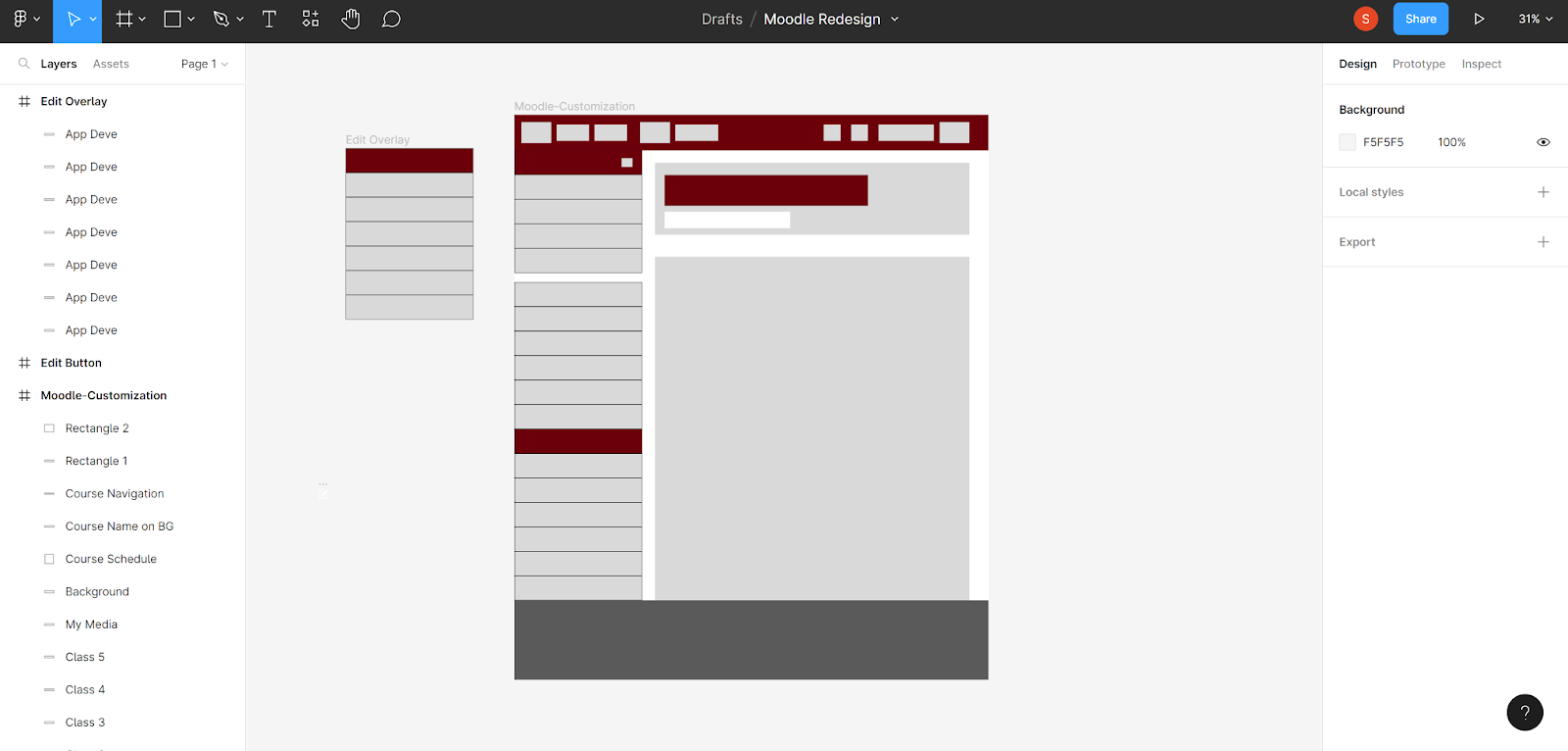
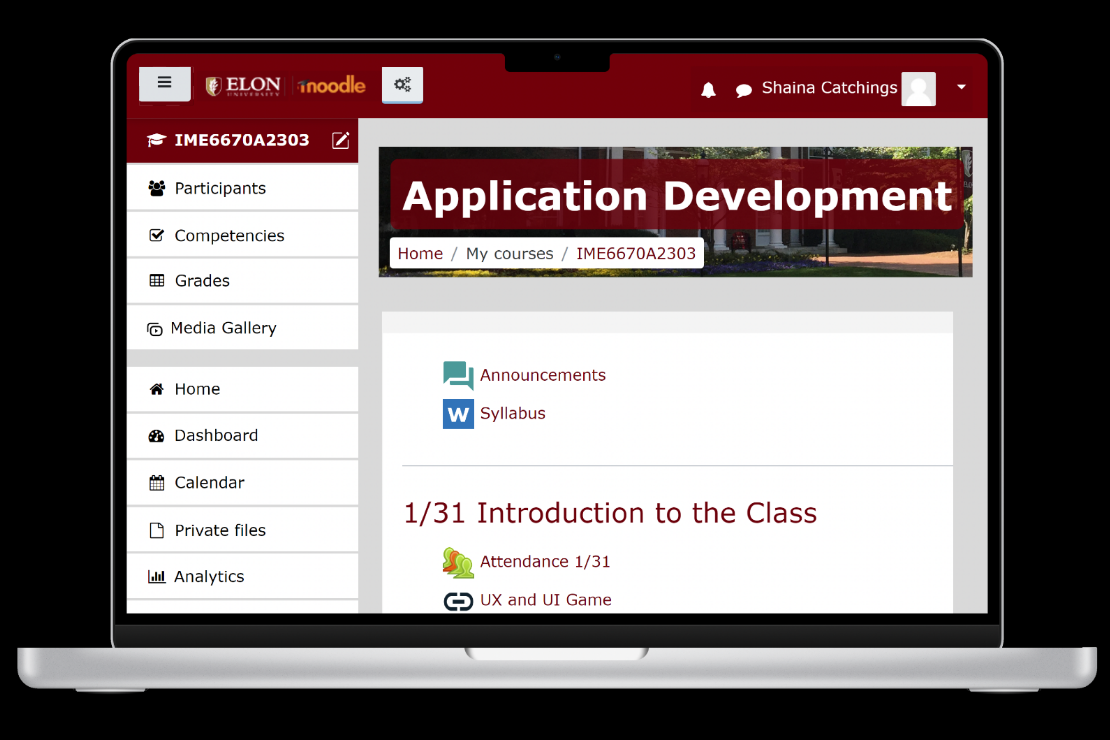
In order to create our prototypes, we used Figma as a tool to share our prototypes, create visuals and add functions to our designs. We created iterations of our design in Figma from low-fidelity to high-fidelity. In the beginning, we worked with wireframes in order to get a feel for our redesign and better understand the layout before diving into the visual aesthetics and functionality.

Low-Fidelity
Mid-Fidelity
High-Fidelity

User Testing – Methods & Research

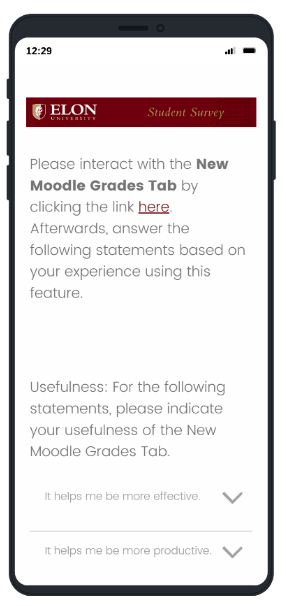
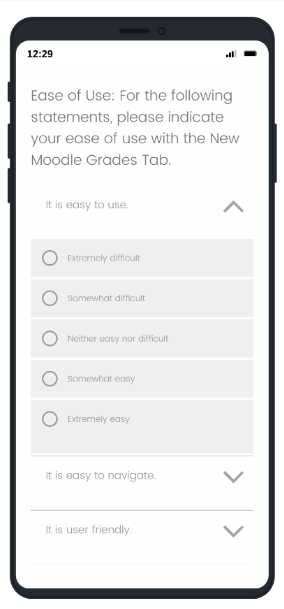
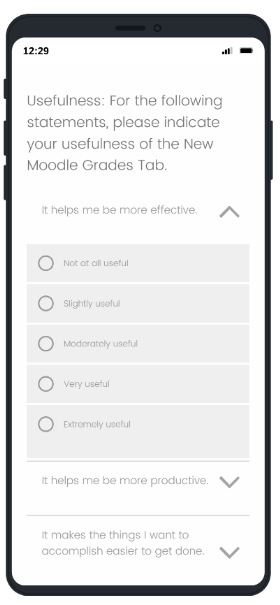
For our user testing, we conducted a survey study through Qualtrics and sent it to friends, family, and colleagues. Our goal was to test if the changes we made to the Moodle interface improved the user experience compared to the current interface. Using the randomization feature, participants were prompted to interact with either the current Moodle interface or the new Moodle prototype and asked to answer following statements based on their experience testing usefulness, satisfaction, and ease of use.

User Testing – Results

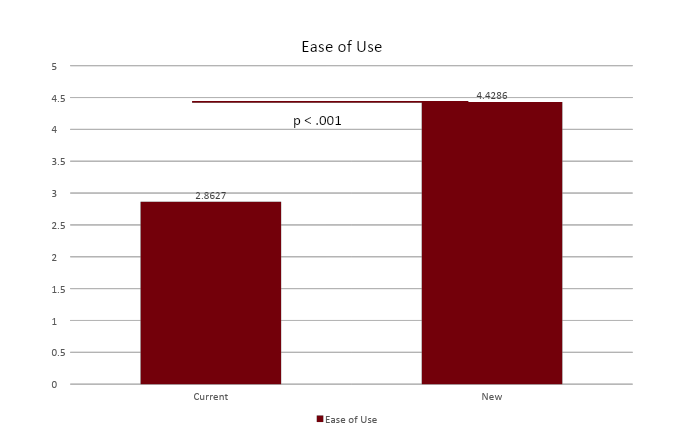
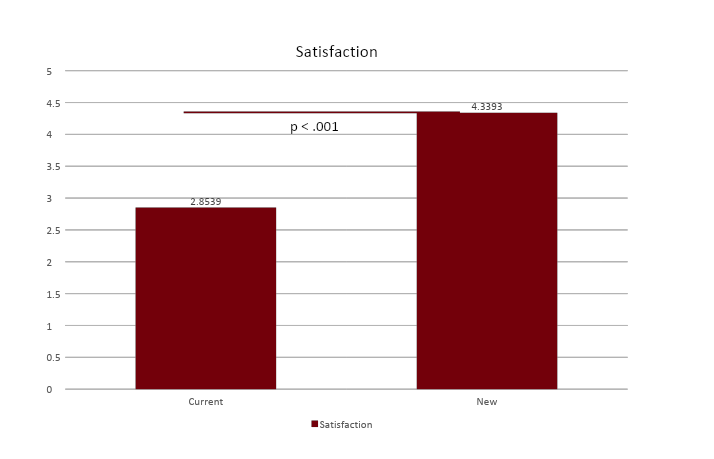
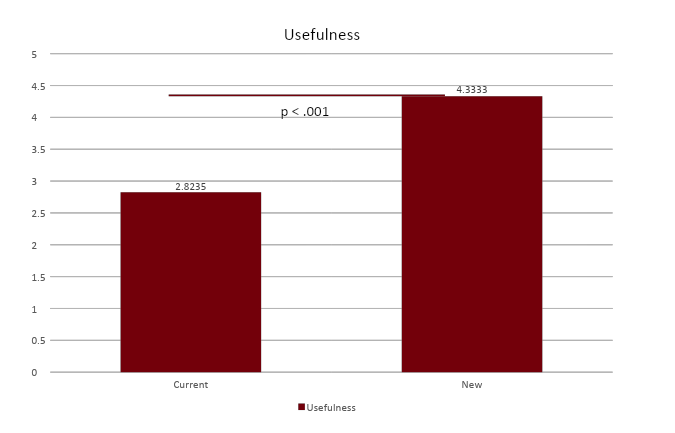
We had 31 participants mostly between the ages of 18-24, identified as male, female, and non-binary, and have been using Moodle for more than 2 years. Our results noted that the p-value of the comparisons are < 0.001, showing a statistically high significance in usefulness, satisfaction, and ease of use of the new Moodle prototype.

Conclusion

The Moodle website application is an effective tool for higher education regarding checking grades, submitting assignments, and having access to class materials. However, based on our testing results, Moodle can improve the organization of the sidebar to improve users’ experience.

Are these changes worth it? Yes, because based on our usability tests, the p-value of the comparisons are < 0.001 showing a statistically high significance in usefulness, satisfaction, and ease of use of the new Moodle prototype. In addition, our redesign addresses users’ needs expressed by our interviewees during our user research.

Final Report

Please read our final report regarding the entirety of this Moodle redesign project that includes our other design questions: What adjustments could be made to the way that grades are displayed and organized on Moodle?, and How can we incorporate a weekly agenda function where students can view upcoming assignments?

Acknowledgements

I would like to thank my teammates, Ashley Soderberg and Liv Archer, Dr. Chen, friends, family, and colleagues for the support, feedback, and guidance throughout the duration of this project!

css.php